Install wireless digital signage without downtime
Visionect, 24 Feb 2026
Installing new signage once meant planning around downtime and dealing with disruptive wiring projects. Wireless digital signage changes that experience entirely. Designed for fast setup and minimal hardware, today’s low-power displays can be deployed quickly while business continues as usual.
Why wireless signage keeps operations running smoothly
Traditional signage installations often require wiring, drilling, and downtime. Wireless digital signage removes those obstacles.
Key advantages include:
- Minimal cabling: Fewer structural changes and less mess
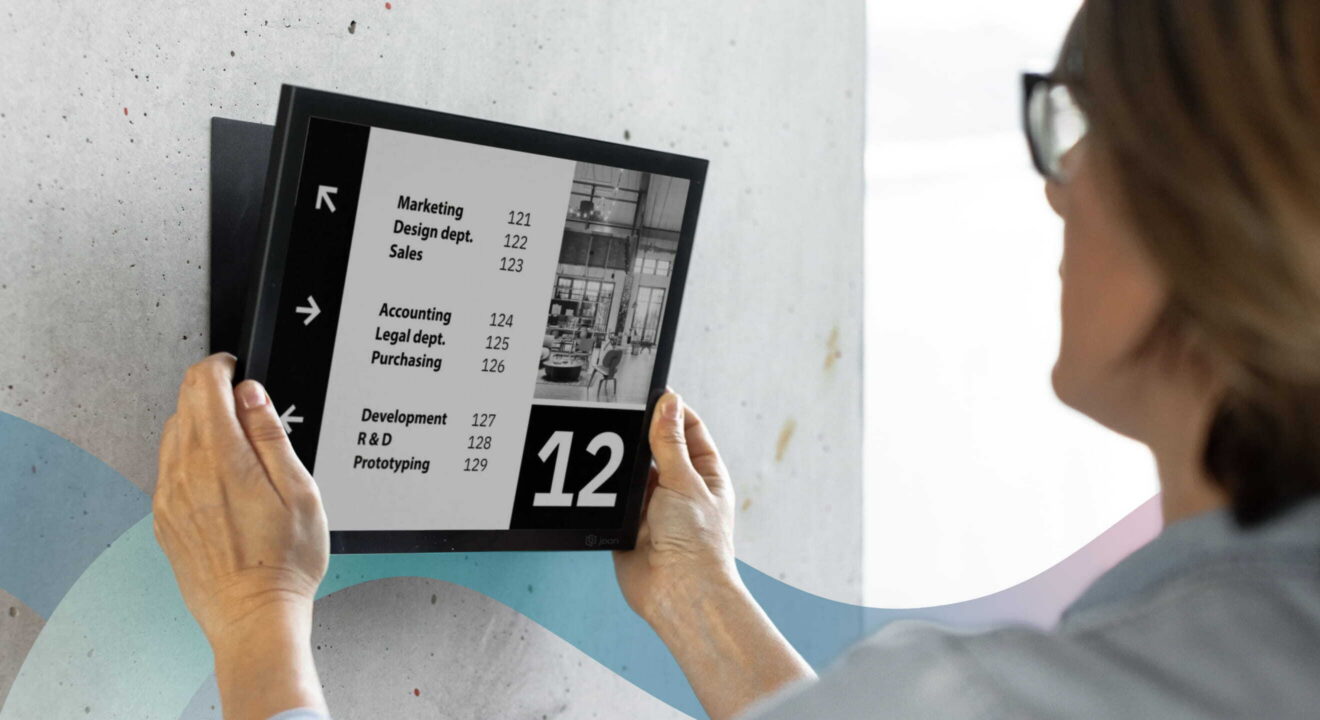
- Faster deployment: Displays can often be mounted in minutes
- Remote management: Content updates don’t require onsite visits
- Low power needs: E-paper displays may run for months on battery life
These factors mean installation rarely interferes with meetings, customer service, or production schedules.
Curious how e-paper signage works? Explore Visionect’s e-paper digital signage solutions to see the technology behind the simplicity.
DISCOVER PLACE & PLAYPlanning reduces installation friction
With wireless digital signage, mounting displays is fast and simple. Some models click onto magnetic mounts in seconds, while others take just a few minutes with a bracket. Once the devices are online and connected to your CMS, everything else can be managed remotely. Even so, a little planning keeps the rollout seamless and interruption-free.
Consider these steps:
Assess your communication needs
- Identify key messaging areas (meeting rooms, entrances, shared spaces)
- Determine content types: schedules, announcements, wayfinding
- Clarify integration needs with calendars or CMS platforms
Map optimal display locations
- Choose visible but unobtrusive spots
- Confirm Wi-Fi strength in those areas
- Check mounting surfaces ahead of time
Coordinate timing thoughtfully
- Schedule installation during quieter hours if possible
- Inform staff so surprises are minimized
- Align installation with other planned maintenance if practical
Quick installation with wireless e-paper displays
Wireless e-paper signage is designed for simplicity. Most installations follow a straightforward process:
- Mount the display (adhesive, magnetic, or light drilling)
- Connect it to the wireless network
- Pair with content management software
- Push initial content remotely
Because e-paper displays consume very little energy and don’t generate heat, they’re particularly easy to place in offices, healthcare facilities, retail environments, or campuses.
See how e-paper displays are used across industries.
How remote management eliminates ongoing disruption
Installation is only part of the equation. Maintaining signage shouldn’t interrupt operations either.
Remote management helps by:
- Allowing centralized content updates
- Reducing maintenance visits
- Enabling fast troubleshooting
- Supporting scheduled or automated messaging
For example, a facilities team can update room signage across an entire building without stepping away from their desks.
Best practices for a disruption-free rollout
Organizations that experience the smoothest signage installations often follow similar best practices:
Communicate early with stakeholders
- Inform employees or tenants about upcoming changes
- Share expected timelines and benefits
- Provide simple instructions if interaction is involved
Pilot before full deployment
- Test signage in one area first
- Gather feedback on placement and usability
- Adjust before scaling up
Keep IT involvement light but informed
- Confirm network compatibility
- Ensure security protocols are met
- Document management access procedures
These steps keep installation predictable and stress-free.
Where wireless signage fits especially well
While almost any organization can benefit, certain environments see particularly seamless installations:
- Corporate offices: Meeting room signage and internal comms
- Healthcare facilities: Quiet, low-maintenance displays
- Education campuses: Flexible scheduling updates
- Retail spaces: Quick promotional messaging
- Hospitality venues: Wayfinding and event info
E-paper signage’s subtle aesthetic and low energy footprint often blend naturally into these settings.
Sustainability without operational headaches
A bonus: wireless e-paper displays support sustainability goals while simplifying installation.
They typically offer:
- Extremely low power consumption
- Long battery life
- Device longevity
- Minimal maintenance requirements
For organizations balancing operational efficiency with environmental responsibility, these sustainability features can be a compelling advantage.
Common misconceptions about signage installation
Let’s clear up a few myths:
“Installation will disrupt staff productivity.”
Not with wireless displays—many installs happen in minutes.
“Digital signage requires constant maintenance.”
Modern systems, especially e-paper, are designed for low upkeep.
“The displays will look intrusive.”
Today’s signage is intentionally subtle and design-friendly.
Understanding these realities helps teams approach installation with confidence rather than hesitation.
Final thoughts: Signage that works with you, not against you
Wireless digital signage has evolved into a flexible, low-impact communication tool. With thoughtful planning and the right technology, installation can happen quietly in the background while daily operations continue uninterrupted.
Organizations adopting e-paper signage often find that the biggest change is improved clarity, efficiency, and communication.
If you’re considering signage upgrades, explore Visionect’s e-paper display solutions to see how a low-disruption rollout could work for your organization.
Explore our e-paper familyTags